
NextGen HSS GUI — Web-Based Administration
The NextGen HSS GUI is the integrated web administration interface for the Summa Networks HSS/HLR — covering subscriber provisioning, roaming controls, KPI dashboards and alarm management from a single browser-based application. No command line required.
Web-based provisioning and configuration
The NextGen HSS GUI brings subscriber provisioning, network configuration and alarm management into a single web application — with a clear graphical interface that removes the need for command-line tools or complex scripts.
From one place, teams create, view and configure every aspect of day-to-day operations, from subscriber records and network settings to real-time alarm monitoring. The interface is purpose-built for the HSS/HLR, so common tasks stay fast and consistent.
Because it runs entirely in the browser, operations teams configure and manage the core remotely, from anywhere — with built-in help guiding each profile and configuration setting.
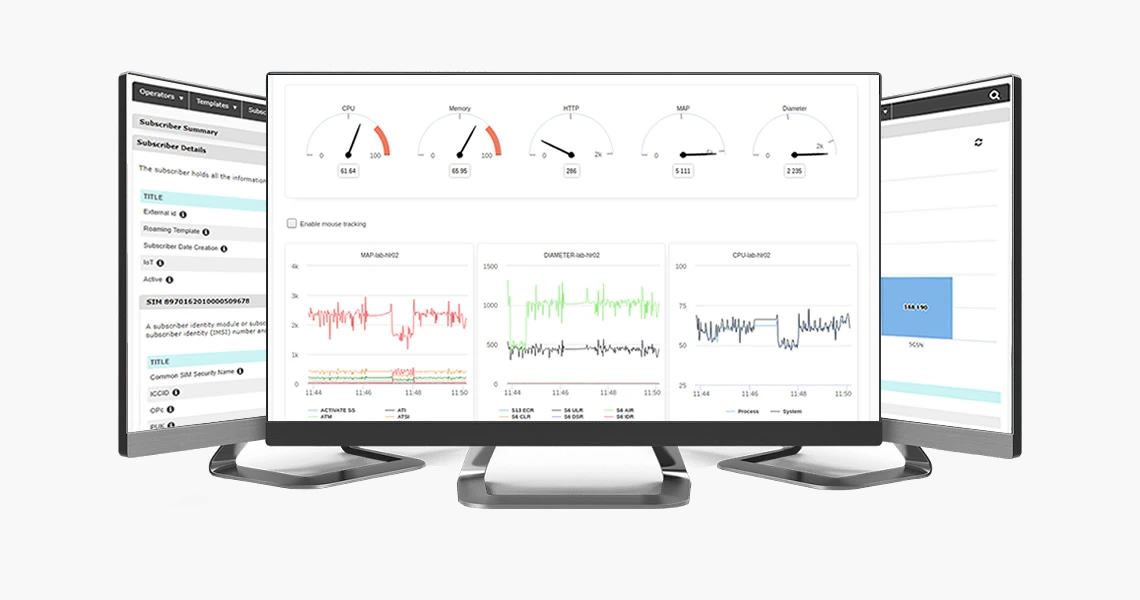
Key operations in the NextGen HSS GUI
The NextGen HSS GUI organizes all day-to-day operations into five functional areas — giving operators full control over subscriber data, network configuration, and system health without leaving the browser.
Operators
- Full control of all operator related configurations.
- Deploy new SIM batch algorithms.
- Configure IMS application Servers.
- View network Serving Nodes information.
Subscribers
- View all subscribers and their profiles.
- Edit specific settings for the subscriber.
- Delete SIMs, IMSIs, MSISDN, etc.
- Apply ODB, Change APN speed, Set Restriction Data, Change SS, etc.
Provisioning
- Create single or bulk SIM + IMSI.
- Create single or bulk Subscribers.
- Change bulk settings.
- View previous bulk operations and the results.
Roaming Controls
- Create, Edit and View all PLMNs.
- Manage Service Policies for roaming.
- Manage Roaming Profiles for subscribers.
Management
- View all nodes from the cluster, and their status.
- View general and per node KPIs.
- Manage Web GUI Users.
- View per node alarms.
See the NextGen HSS GUI in action
Contact us to get a live demo of the NextGen HSS Administration GUI — subscriber provisioning, KPI dashboards, roaming controls and more.
